Form control that doesn't evaporate when someone leaves.
Build forms, track responses, and keep central ownership of both. Glow provides shared workspaces with unlimited seats, so teams can collaborate freely without per-user penalties or orphaned data.
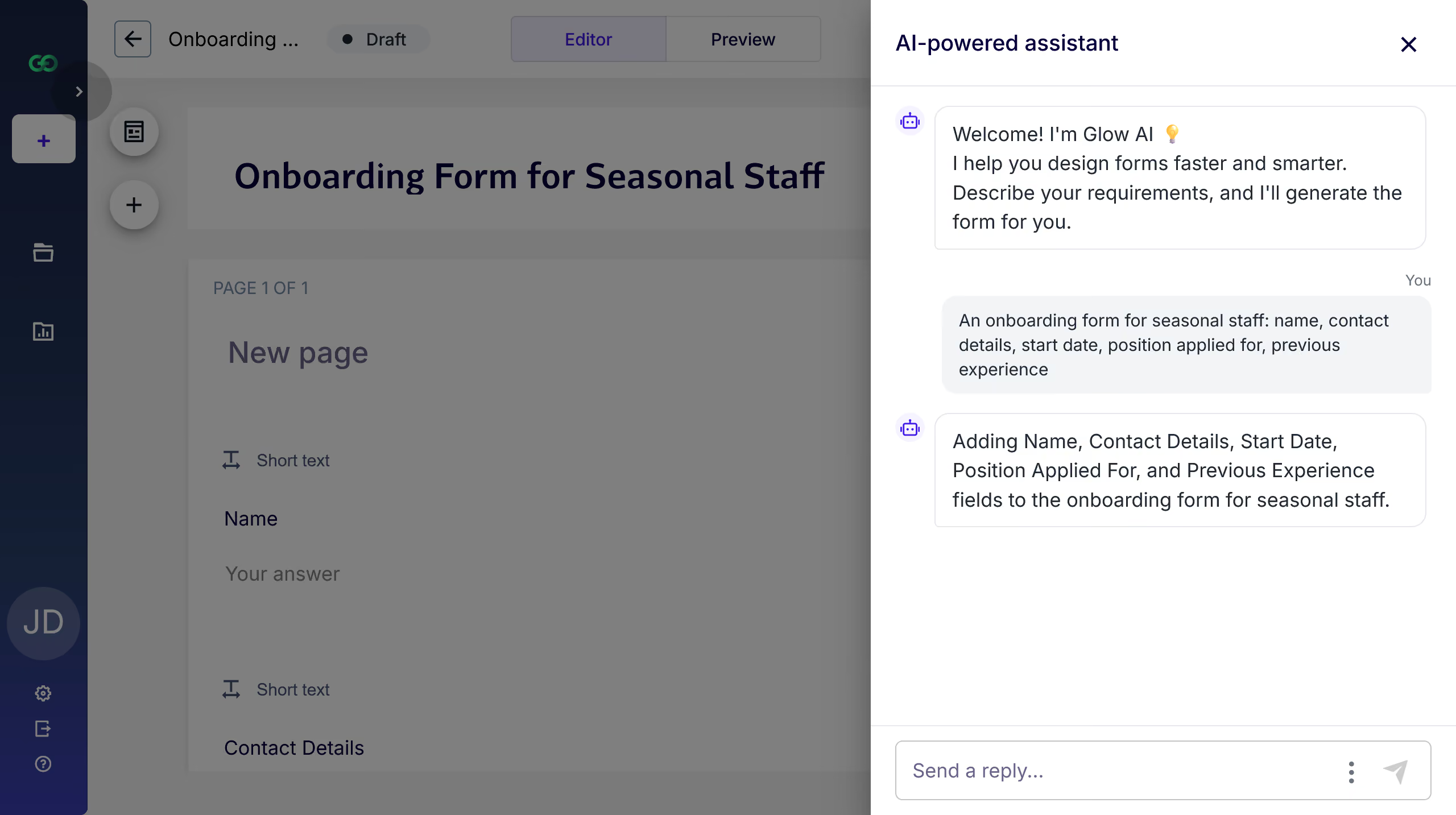
Describe the form you need in the chat window and Glow builds it for you: pages, questions and question types. You start from a working structure instead of a blank canvas, and every part of the draft stays fully editable in the builder.
"An onboarding form for seasonal staff: name, contact details, start date, position applied for, previous experience." Glow returns the form. You rename a label or two and publish. Quick creation with full control.
Good to know: the AI created form is a rapid way to get started. Review the wording yourself, set up logic and required questions in the builder to finalize your form.
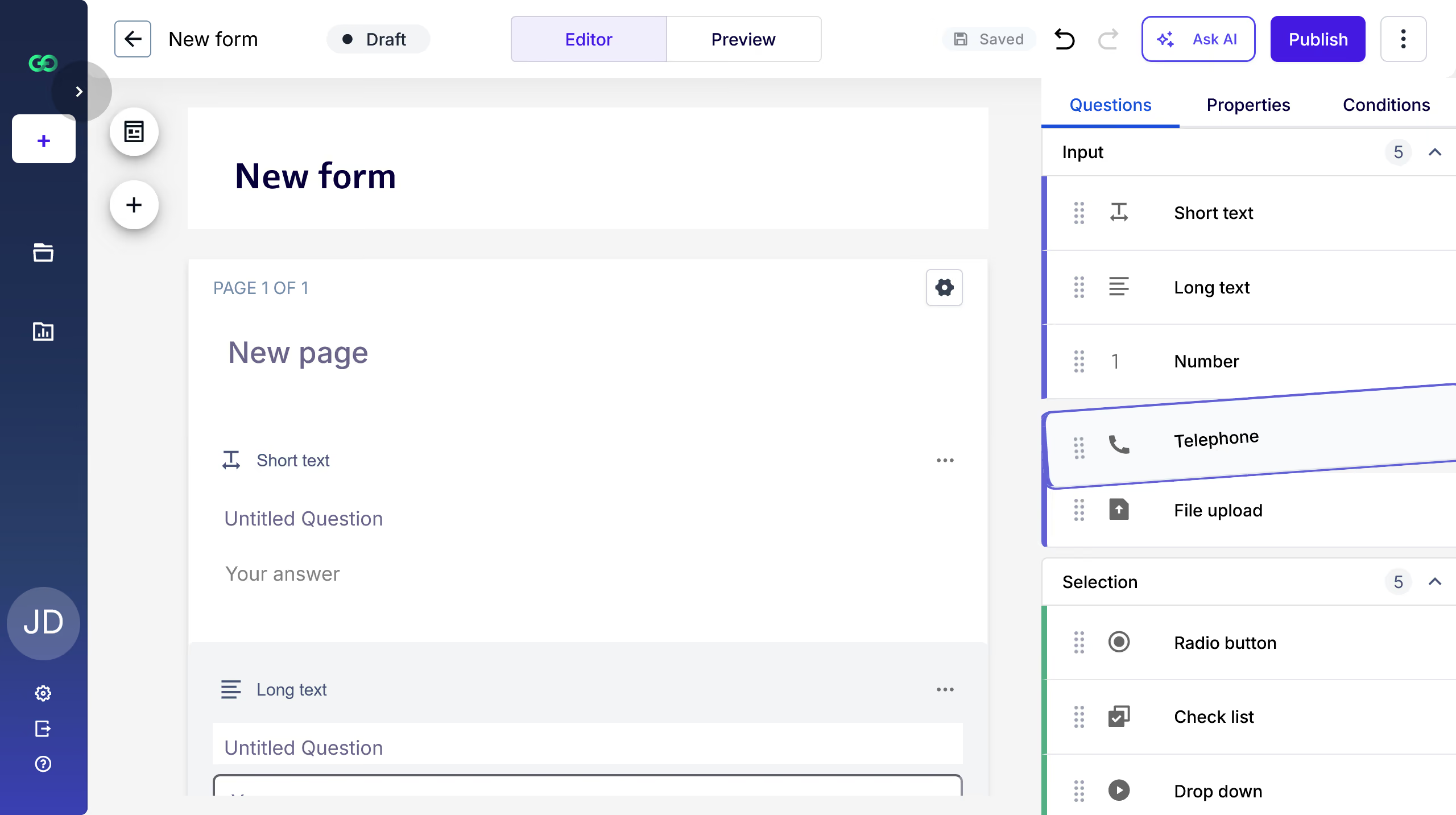
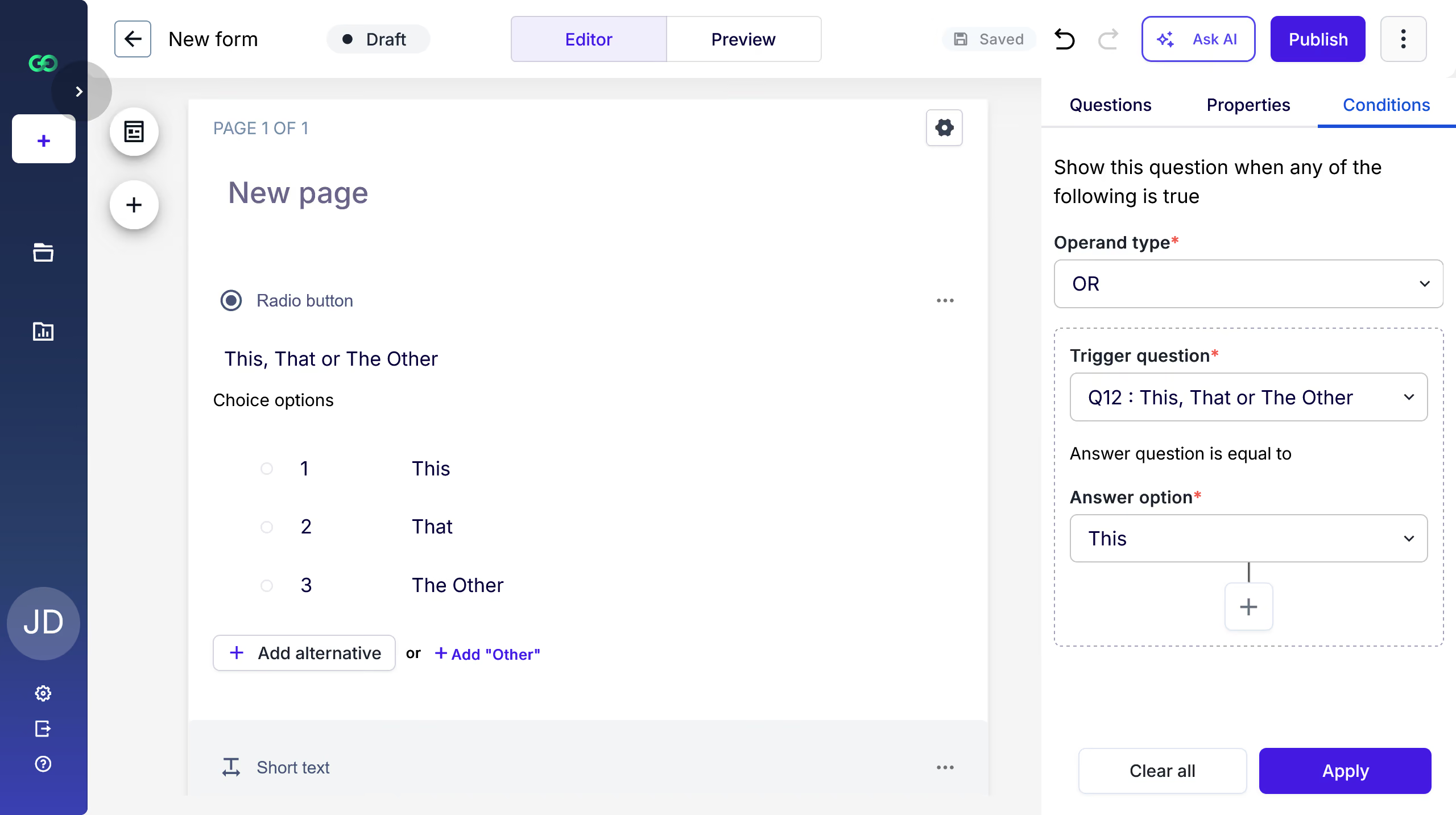
Drag question types from the panel on the right into the form, reorder them, and split long forms across pages. Select any element to configure its advanced properties, and use the conditions tab to show or hide questions based on earlier answers.
On a job application, only show the previous experience page when the applicant picks a senior position. Everyone else skips straight to the end.
Good to know: Preview the form on desktop, tablet and mobile before publishing to check the flow.
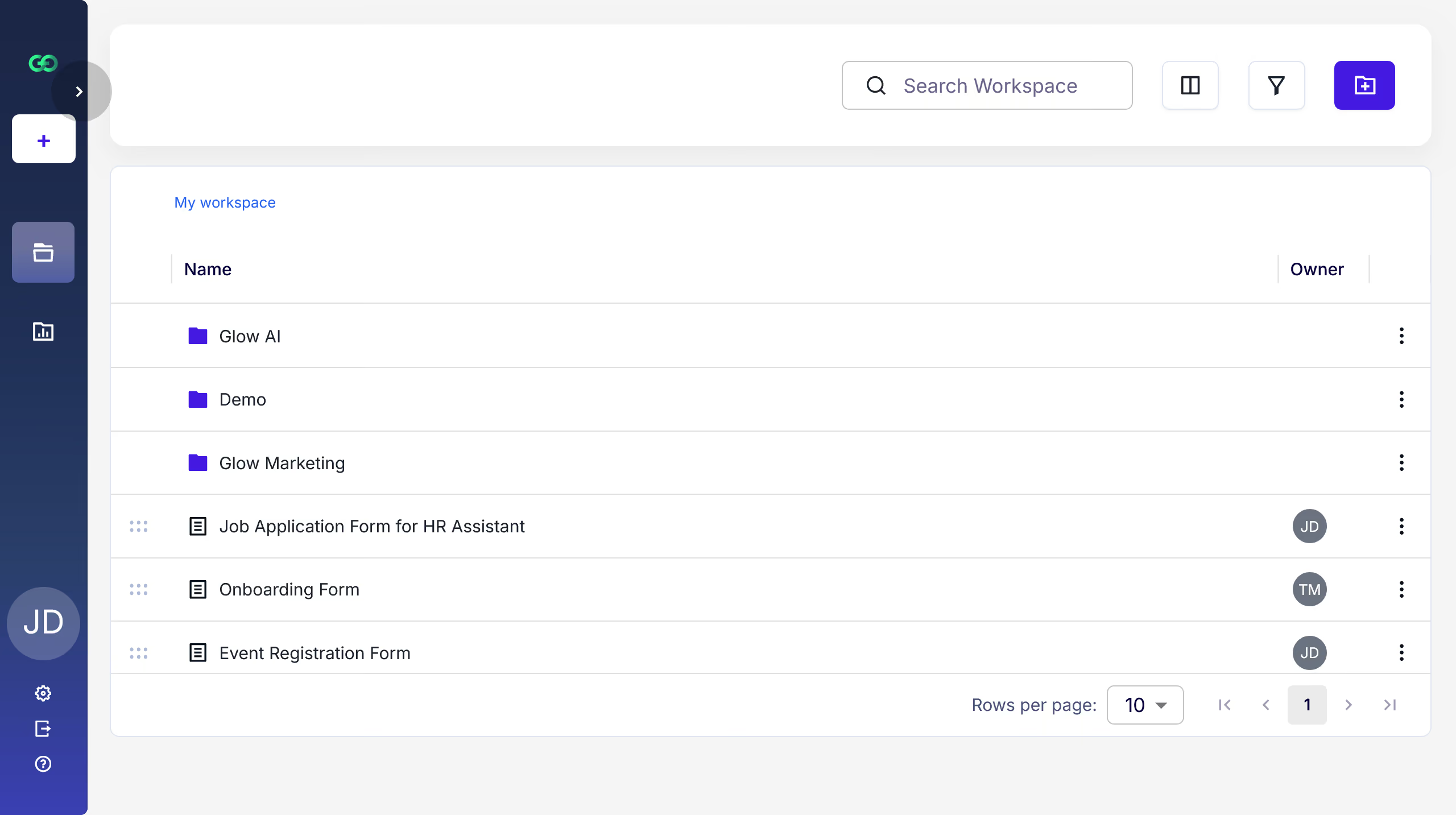
Forms live in workspaces the whole team can see, not in one person's account. Invite colleagues and keep access shared so nothing is stranded when someone is away or leaves.
HR keeps its recruitment forms in one workspace. When the recruiter goes on leave, her manager opens the same workspace and picks up the live forms without asking for a login.
Good to know: access is granted per workspace and role, so plan your workspace split around the teams that should see each other's forms. The free plan includes 2 seats so you can try working together, and every paid plan has unlimited users.
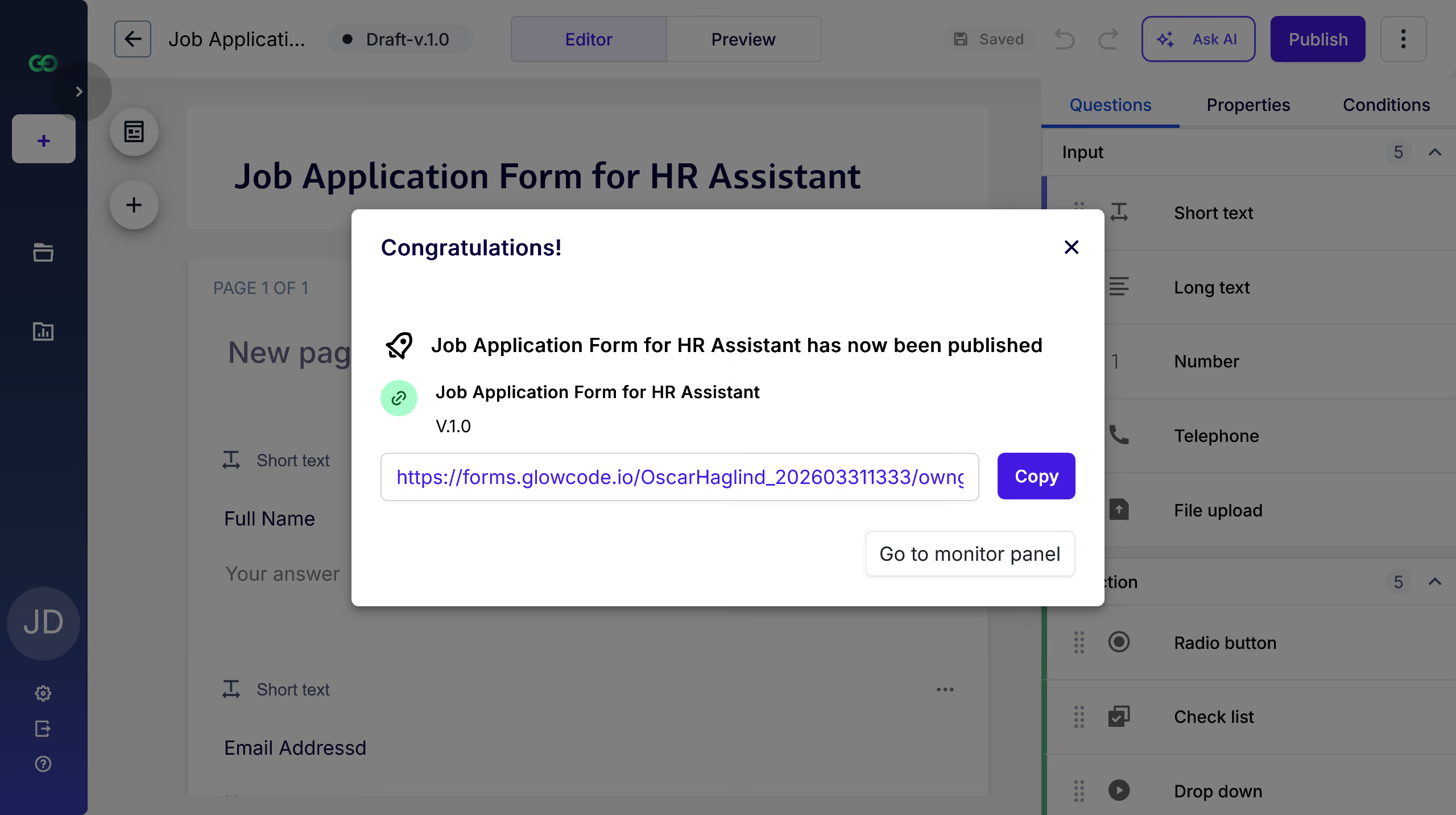
Publishing gives you a shareable link and a direct route into the Monitor panel for that form. Forms can open and close on a schedule, so a window you agreed weeks ago does not depend on someone remembering to act on the day.
Schedule the seasonal staff application to open on 1 April and close on 30 April. It goes live and stops accepting submissions all on its own.
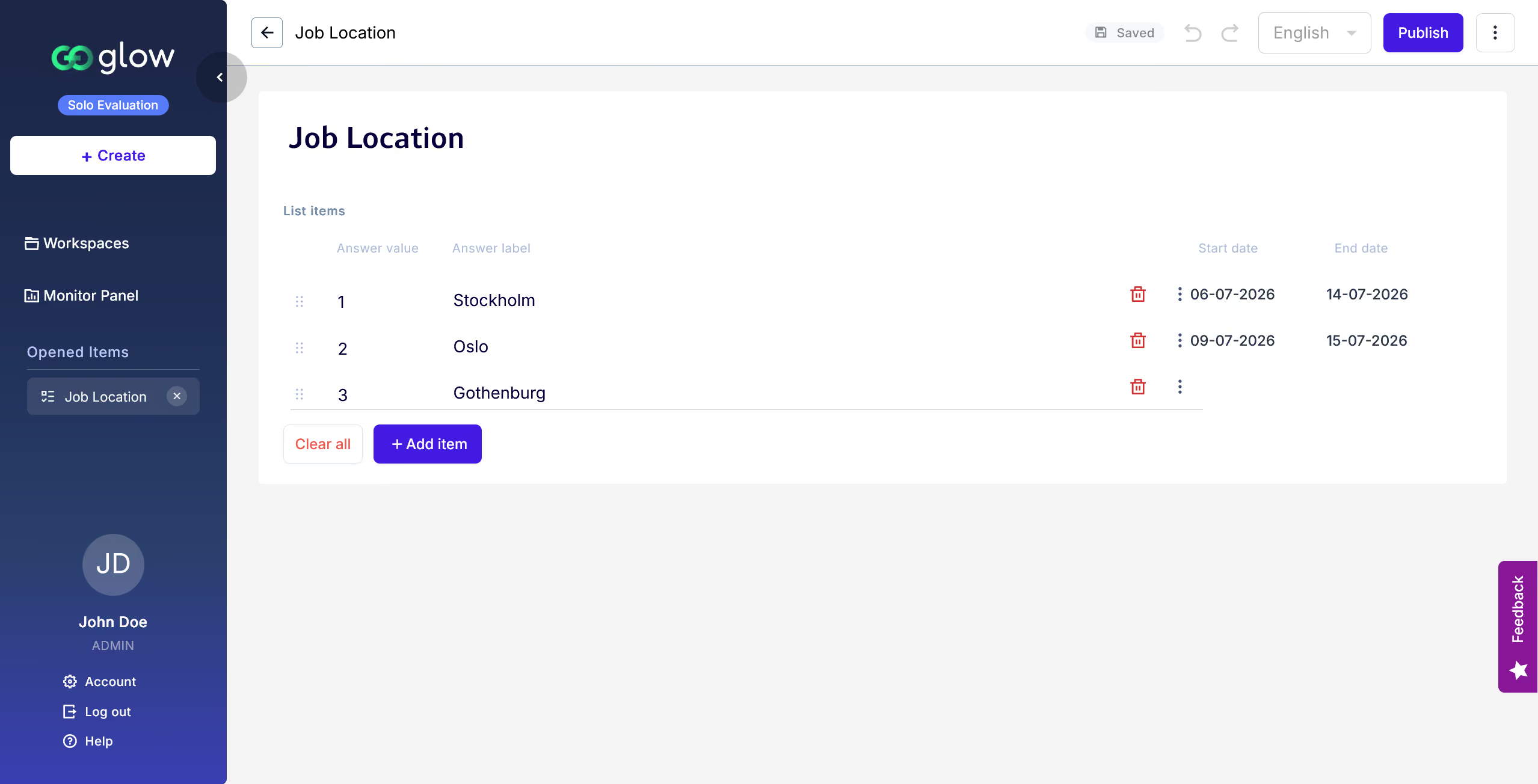
Good to know: even individual items in a list can be scheduled to be opened and closed on specific dates. Like positions in a general career application form.
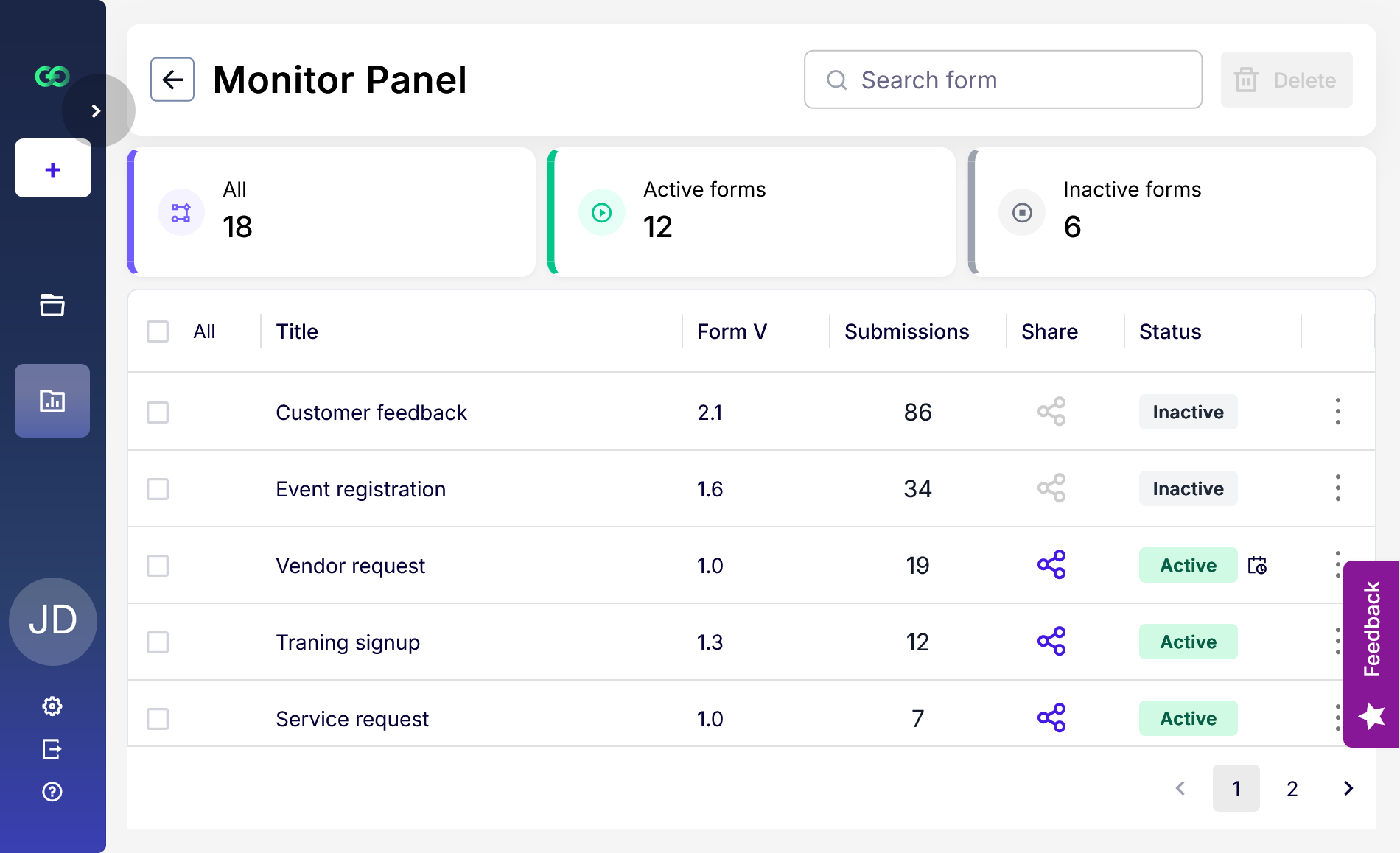
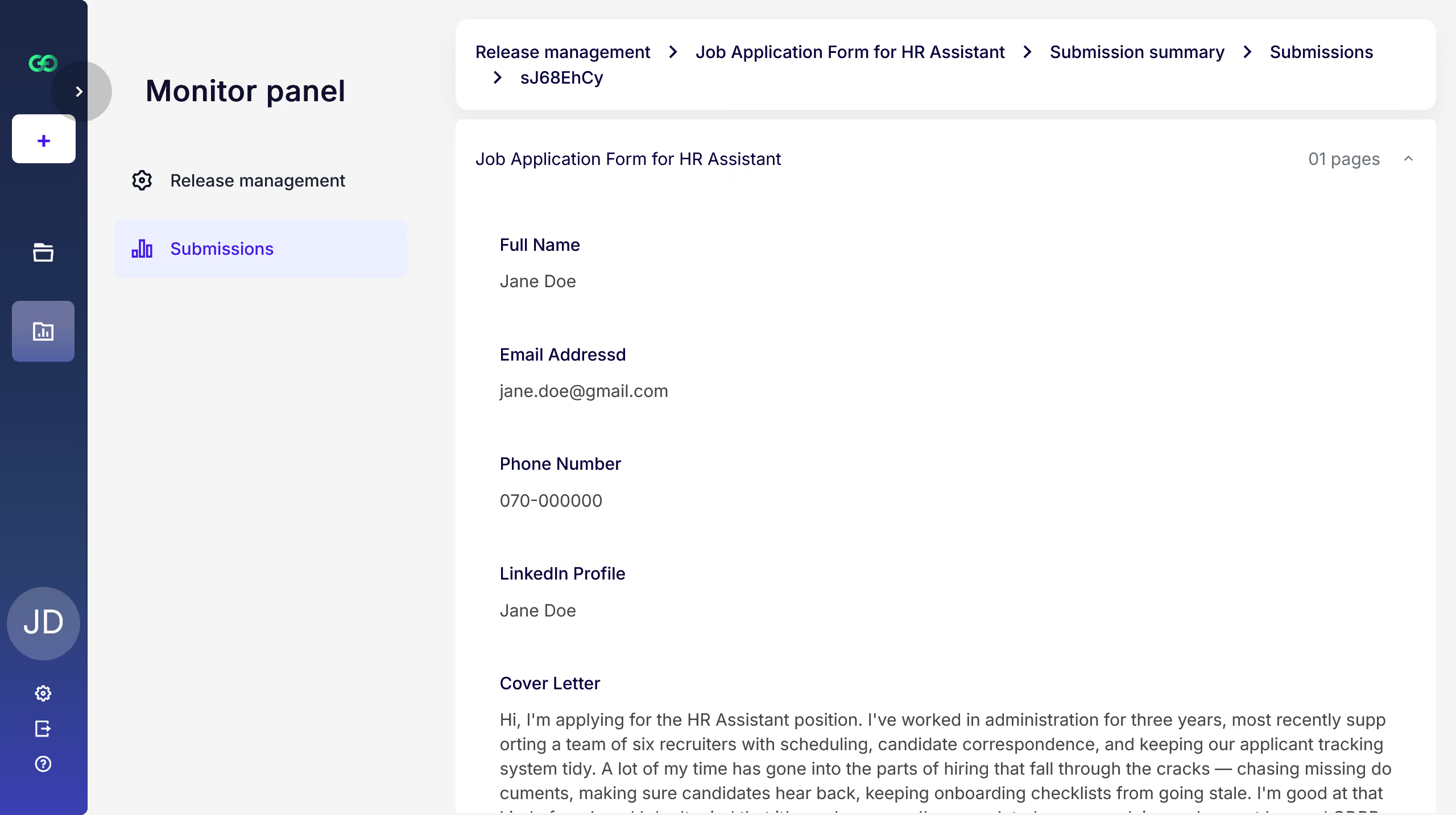
The Monitor panel is the one place that answers "what is running right now?" and everything else about your forms. Every form across the team with its status, version and submission count, filtered by active or inactive. Open any form to read its submissions answer by answer or use the form summary to see all replies to a form.
On Monday morning, filter to active, see the three forms still collecting, and open the onboarding form to read the weekend's applications.
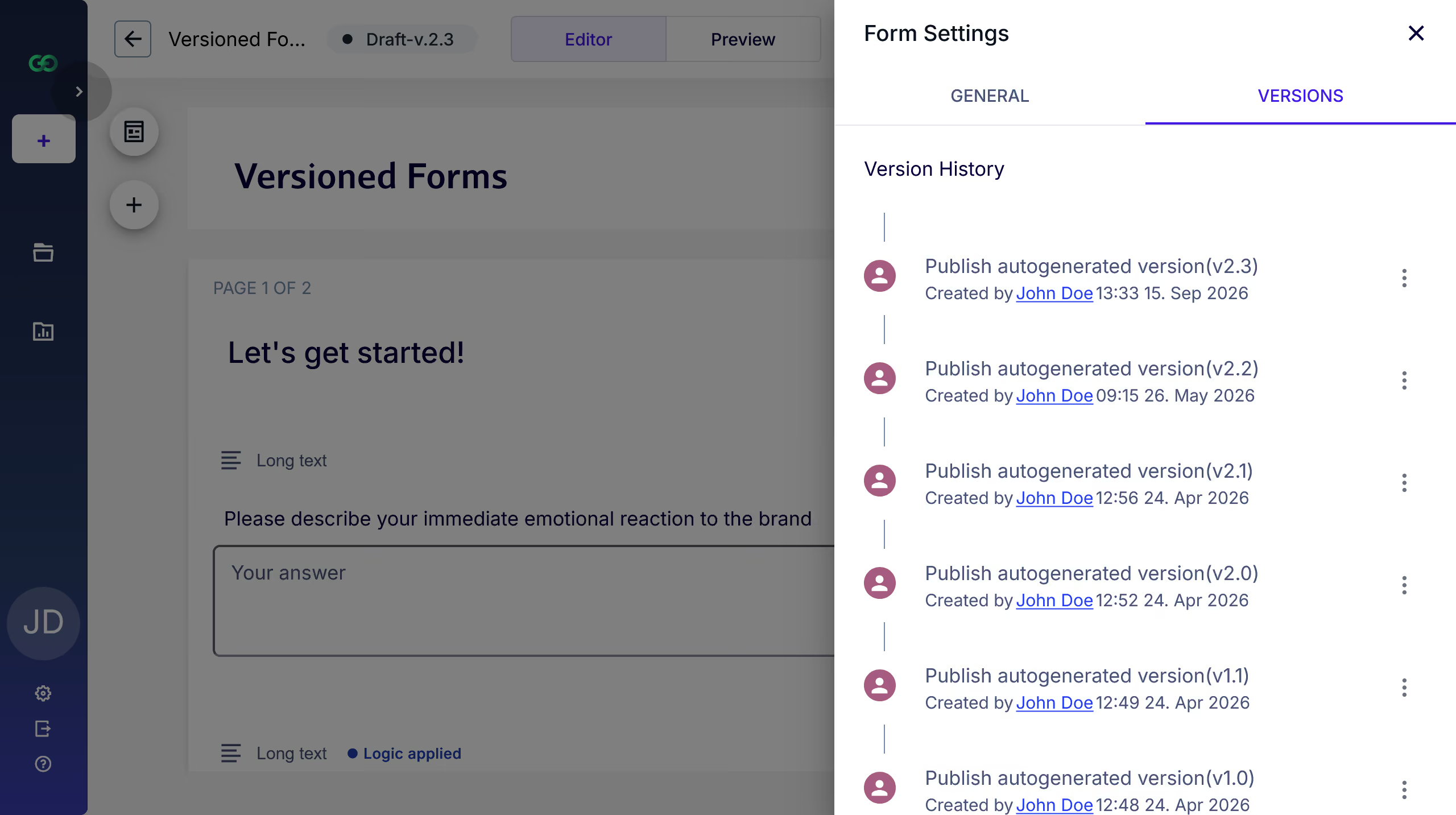
Every published version is logged under release management with its version number, who published it and when. You can see how a form has moved over time instead of guessing which wording a respondent actually saw.
Someone changes a question mid-campaign. The log shows a new version with its timestamp, so you know which submissions came in before the change and which came after.
Good to know: all versions are logged so you can go back and look at any version of the form and review what has changed.
Build a list of options once, such as departments, locations or products, and reuse it across forms. List items can be scheduled, so an option appears or disappears on the date you set instead of being edited by hand.
A locations list feeds six forms. A new site opens in June, so you schedule the item and every form picks it up on the first of the month.
Good to know: lists are maintained in Glow. Editing a shared list affects every form using it, so you don't need to update shared attributes in multiple places.
In development and soon to come!
Routing a submission onward after it arrives, which is the step after monitoring. In development now, and we will document it here when it ships.
